Frequently Asked Questions
iXGenie
iXGenie is an immersive learning and operational excellence platform powered by AR, VR, and AI. It’s designed for organizations across industries—education, healthcare, manufacturing, utilities, government, and more—to improve training, asset management, safety, and operational performance.
iXGenie delivers hands-on, interactive simulations that allow employees to practice real-world scenarios in a risk-free environment. This enhances knowledge retention, accelerates onboarding, and helps workers build confidence and competence faster.
Industries including manufacturing, energy, utilities, healthcare, transportation, education, and government benefit from iXGenie’s capabilities. Any sector that relies on complex equipment, processes, or safety-critical tasks can leverage iXGenie to improve outcomes.
Yes. iXGenie is designed to integrate smoothly with enterprise systems such as ERP platforms, Learning Management Systems (LMS), and Enterprise Asset Management (EAM) solutions like IBM Maximo, Cityworks, and others, enhancing workflow and data continuity.
iXGenie uses AI to personalize learning paths, provide real-time guidance during simulations, analyze user performance, and generate insights for continuous improvement. It also enables predictive and prescriptive insights in asset management to reduce downtime and optimize operations.
Yes. iXGenie works across multiple platforms including VR headsets, AR glasses, desktop computers, tablets, and smartphones—making it flexible and accessible for both on-site and remote teams.
iXGenie stands out for its customizable content, integration-ready architecture, AI-driven insights, multi-user collaboration features, and scalability across industries. It’s designed to be intuitive, flexible, and enterprise-ready with minimal IT overhead.
Implementation timelines vary depending on scope, but a typical rollout can range from a few weeks for pilot programs to a few months for large-scale deployments. Our team provides expert guidance every step of the way.
iXGenie offers flexible pricing models based on development scope, number of simulations, and user scale. We offer one-time development costs for unlimited users/usage and enterprise licensing tailored to your organization’s needs.
Absolutely. iXGenie is built to deliver custom simulations and training content aligned with your processes, equipment, and compliance requirements. We work closely with you to ensure the solution fits your exact needs.
Content development is a collaborative process between your team and imaginX. Whether you’re in industry, education, or government, subject matter experts (SMEs) on your side—such as instructors, trainers, or technical specialists—typically provide the core knowledge, curriculum, procedures, or training materials.
The imaginX team then works closely with your team to transform this content into engaging, interactive simulations.
Here’s how we facilitate the process:
-
Discovery & Needs Assessment: We meet with your team to understand your goals, audience, and key learning or operational objectives.
-
Content Gathering: We collect relevant materials such as curriculum outlines, lesson plans, manuals, SOPs, videos, CAD files, or other documentation.
-
Storyboard & Design: Our instructional designers create a detailed storyboard and simulation flow that aligns with your learning or training objectives.
-
Development & Review: Our XR development team builds the simulation, while your SMEs or instructors provide feedback to ensure accuracy and relevance.
-
Testing & Deployment: We test the simulation for accuracy, usability, and performance, then deploy it across your selected platforms (VR headsets, mobile devices, desktop, etc.).
-
Ongoing Support: We provide updates, improvements, and can help develop additional modules as your needs grow.
This collaborative approach ensures that simulations are accurate, relevant, and impactful—whether for workforce training, academic learning, or operational excellence.
iXGenie follows industry best practices for data security, encryption, and privacy compliance (including GDPR and HIPAA where applicable). We prioritize protecting your sensitive data and ensuring a secure user experience.
iXGenie enables multi-user collaboration where experts and teams can work together in virtual environments. It also provides real-time remote assistance capabilities, allowing experts to guide on-site staff through complex tasks using AR overlays.
Yes. iXGenie can deliver immersive compliance training simulations tailored to industry standards and regulations, helping ensure employees understand and adhere to critical protocols while reducing compliance risks.
We offer end-to-end support including onboarding, user training, content development assistance, technical support, and ongoing platform updates. Our customer success team is dedicated to ensuring you get maximum value from iXGenie.
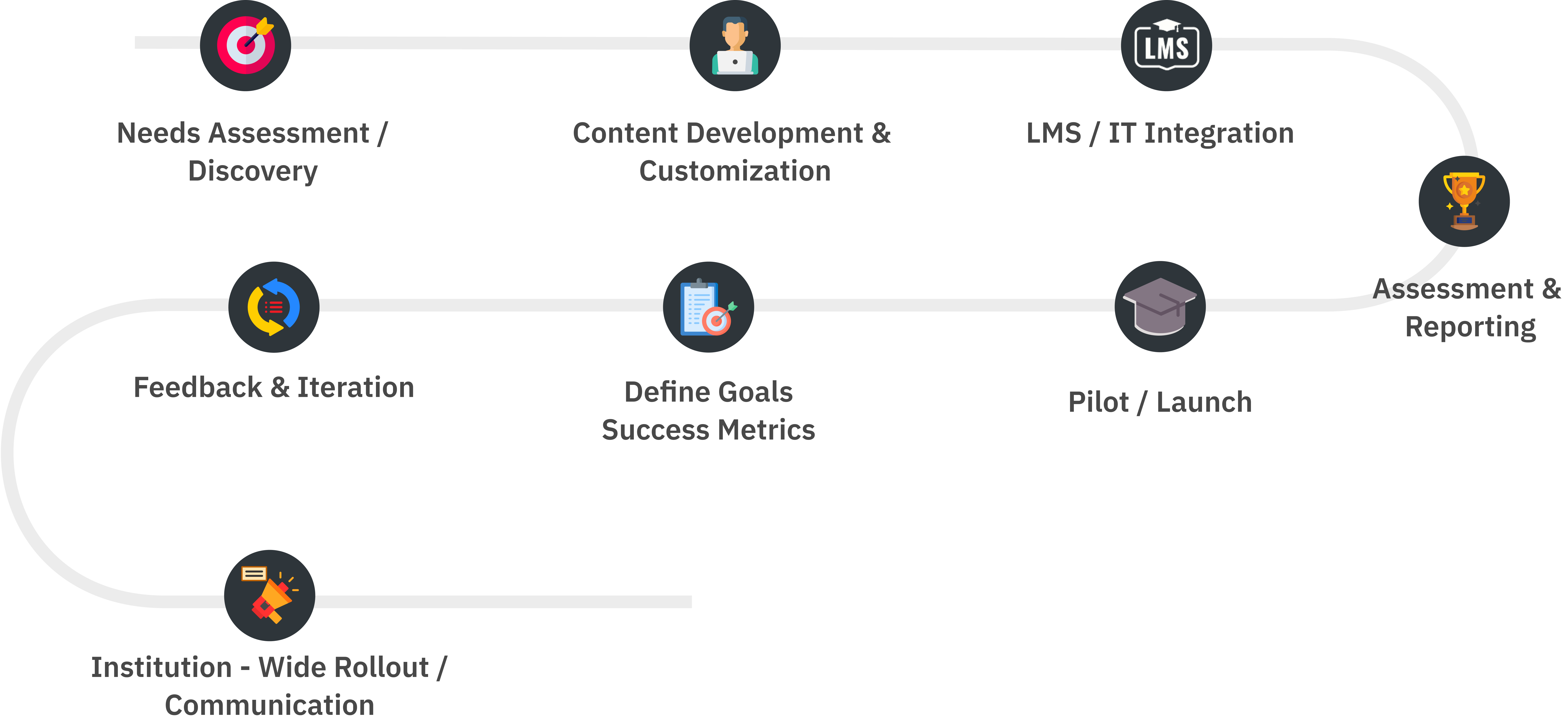
Onboarding iXGenie begins with a kickoff meeting to align on goals, systems, and training needs. The iXGenie team then sets up integrations with your LMS, portal, or EAM using SSO or APIs. User roles are mapped to control simulation access.
Training content is created or customized based on your existing materials and curriculum. A pilot is launched with a small group to gather feedback and fine-tune the experience. Admins and instructors are trained to manage content and view analytics.
Quick-start guides or tutorials are provided for users. Once ready, the platform is rolled out organization-wide. Users can immediately access AR/VR simulations on demand. Ongoing support and analytics ensure continuous success.
EdMentor AI
EdMentor AI is an AI-powered student success and advising platform that helps colleges guide students from onboarding to completion. It combines a 24×7 conversational assistant with workflow automation, escalation routing, and leadership dashboards to reduce friction and improve outcomes.